Three things matter most when choosing a productivity tool: whether it does one specific job you actually have, how you pay for it (free tier, flat monthly fee or sales-led), and how much setup your team has to do before it earns its place. Everything else is secondary.
The tools listed under Productivity cover very different jobs, so match by situation. CopyThatHQ suits small field-service shops that want dispatch by text message. Royally suits people who manage several WordPress sites and want AI-driven changes to wait for approval. FederalPipeline suits government contractors hunting for bids. Sampan Club suits businesses that want an AI to answer customer questions on a website and phone line. The Ergonomic Chair & Desk Fit Calculator suits anyone planning a home-office setup who wants a free check without signing up.
Below are the criteria worth checking, the pricing models these sites describe, questions to ask before committing, and common mistakes.
Top 10 Productivity tools right now
Live ranking · by reader clicks on approved.tools
- #1 Top pickErgonomic Chair & Desk Fit Calculator
Estimate chair seat height and depth, compare home-office chair dimensions, and check desk space in inches or…
Visit site ↗ - #2 Runner upBot Hunt
Handpicked Grok bots
Visit site ↗ - #3 Third placeFortnite Chest Tracker
Treasure Hunt Chests, Items & Odds
Visit site ↗



- 4Sampan ClubAI chatbots and voice agents that answer customers 24/7
- 5RoyallyThe command layer for your WordPress fleet
- 6The Tattoo FactoryTattoos and piercings in Charlotte NC, Gastonia NC, Hickory NC, Statesville NC…
- 7CopyThatHQDispatch software where your techs never install an app.
- 8Health World Web Supplement Cost CalculatorCompare the cost per labeled serving of two supplement packages
- 9FederalPipelineFind federal opportunities. Research buyers. Build your pipeline.
- 10AffyListDirectory of affiliate programs for SaaS and software sellers







Ranked by how often readers click through to each tool; ties go to the newer listing. Placement cannot be bought.
Quick picks
- Best for small field-service shopsCopyThatHQView
Dispatch software where your techs never install an app.
- View
- Best for government contractorsFederalPipelineView
Find federal opportunities. Research buyers. Build your pipeline.
- Best for answering customer questionsSampan ClubView
AI chatbots and voice agents that answer customers 24/7
- Best free, no-signup desk checkErgonomic Chair & Desk Fit CalculatorView
Estimate chair seat height and depth, compare home-office chair dimensions, and check desk space in inches or…
What to look for
Start with the job, not the category. Productivity is a broad label, and the listed tools range from dispatch boards to bid research to a desk-fit calculator. A tool that says plainly who it is for is easier to judge than one that promises to do everything.
Then look at what the tool asks of the people who use it:
- Does anyone have to install anything? CopyThatHQ says its technicians never install an app; they reply to a text.
- Is there a control step? Royally says nothing goes live until you approve it, and every change gets a receipt. Its site says changes made through Royal MCP can be undone.
- Where does the information come from? FederalPipeline names public federal sources on its site, including SAM.gov, FPDS and USAspending, and says it updates daily.
- What happens when the tool is stuck? Sampan Club says its AI hands off to a human when needed.
Finally, check whether the tool is honest about its limits. The Ergonomic Chair & Desk Fit Calculator says its numbers are estimates and tells you to confirm them with a tape measure before buying.
Pricing models you will meet
Among these tools, the sites describe a few distinct models:
- Free with no account. The Ergonomic Chair & Desk Fit Calculator says it needs no registration. Its site also discloses that its shopping links are affiliate links.
- Free tier, then flat paid plans. CopyThatHQ says it is free for 2 techs with no card, free up to 40 jobs a month, and that automatic texting starts at $49 a month, flat, never per user. It also advertises a launch sale of 50% off the first month.
- Free account, upgrade later. FederalPipeline says you can start free with no card and browse without an account. Its site says to upgrade when it pays for itself, but the plan details are not covered here.
- Pricing not stated here. Sampan Club's site links to a pricing page, and Royally's site offers a Get Royally button. This guide does not quote figures for either.
When a price is not published, treat it as a question to ask, not something to assume.
Questions to ask before you commit
- What exactly does the free tier include, and what triggers a paid plan? CopyThatHQ, for example, ties its free tier to a job limit and gives techs a link instead of automatic texts.
- Is pricing per user or flat? Per-seat pricing matters if you have many occasional users.
- Can I try it without a card or an account? Some sites here offer a demo or browsing before signup.
- Who approves changes, and can I undo them? This matters most for tools that act on your behalf.
- What does it connect to? Royally's site lists the tools it works with. Check that yours are on any such list.
- What does it not do? A good page says so, as the Health World Web Supplement Cost Calculator does by stating it compares cost, not quality or safety.
Mistakes to avoid
Buying for the category label. A tool filed under Productivity may solve a narrow problem that is not yours. Read what it does before you read the rating or the tagline.
Treating estimates as answers. Calculators and scoring features give a starting point. The Ergonomic Chair & Desk Fit Calculator says as much about its own ranges.
Ignoring who pays per seat. A low headline price can grow quickly if every team member needs a license. Flat pricing, as CopyThatHQ describes, removes that variable.
Skipping the approval and undo question. If a tool can change live sites or talk to customers, find out how you review and reverse its work before you connect it.
Overbuilding the first setup. Start with the one workflow that hurts, try it on the free tier or demo where one exists, and expand only if it holds up.
Picks by need
CopyThatHQ
Best for small service shops with 2-10 trucks
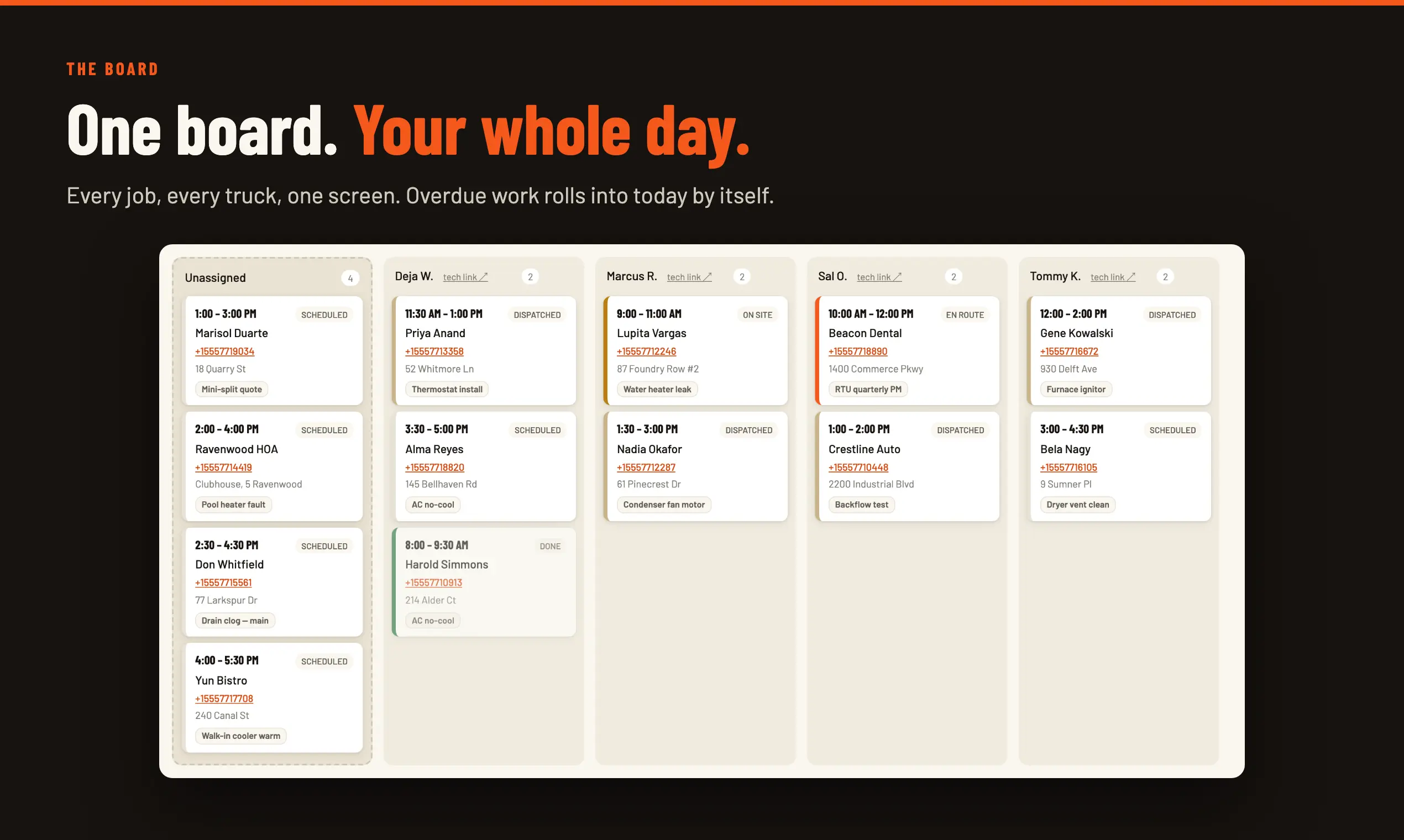
CopyThatHQ is SMS-first dispatch software. Jobs go on a board, you drag one to a tech, the tech gets a text and replies, and the board updates. Its site says no app, no login and no seat to buy.
Pricing is stated clearly: free for 2 techs with no card, free up to 40 jobs a month, and automatic texting from $49 a month, flat and never per user. On the free plan, techs work from a link you send them. Paid plans text each job automatically.
It is built for small shops, so larger operations should check whether a 2-10 truck focus fits their size.
Royally
Best for agencies managing many WordPress sites with AI
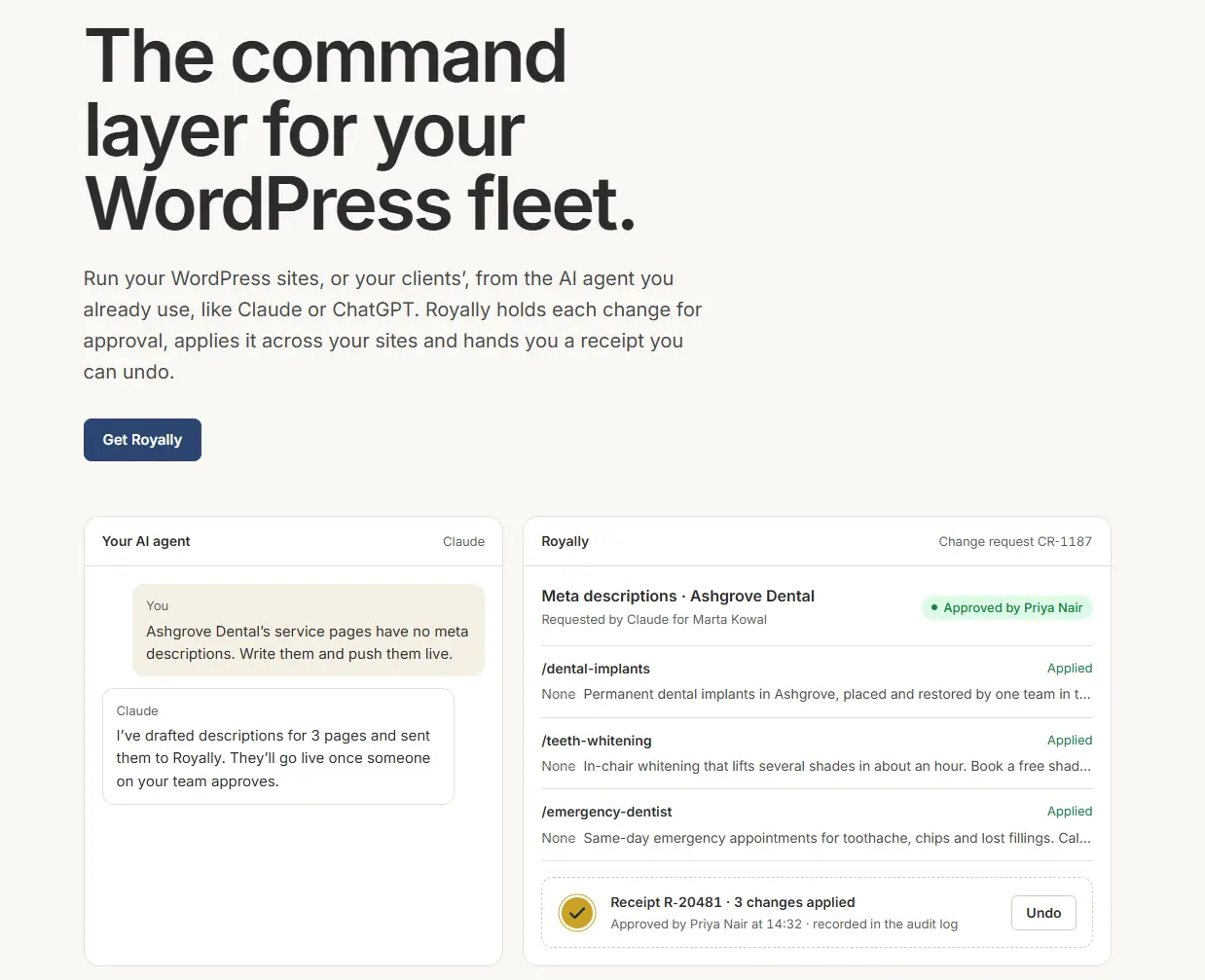
Royally lets you run your own or your clients' WordPress sites from an AI agent such as Claude or ChatGPT. Its site says each change is held for approval, applied across your sites and returned with a receipt you can undo.
Setup, per its site, means installing Royal MCP on each site, connecting the sites to Royally and then working from your AI agent. Its site also describes a tamper-evident log covering the whole fleet.
Pricing is not covered here. If you run only one site, check whether the fleet-level approval and log features are more than you need.
FederalPipeline
Best for government contractors building a bid pipeline
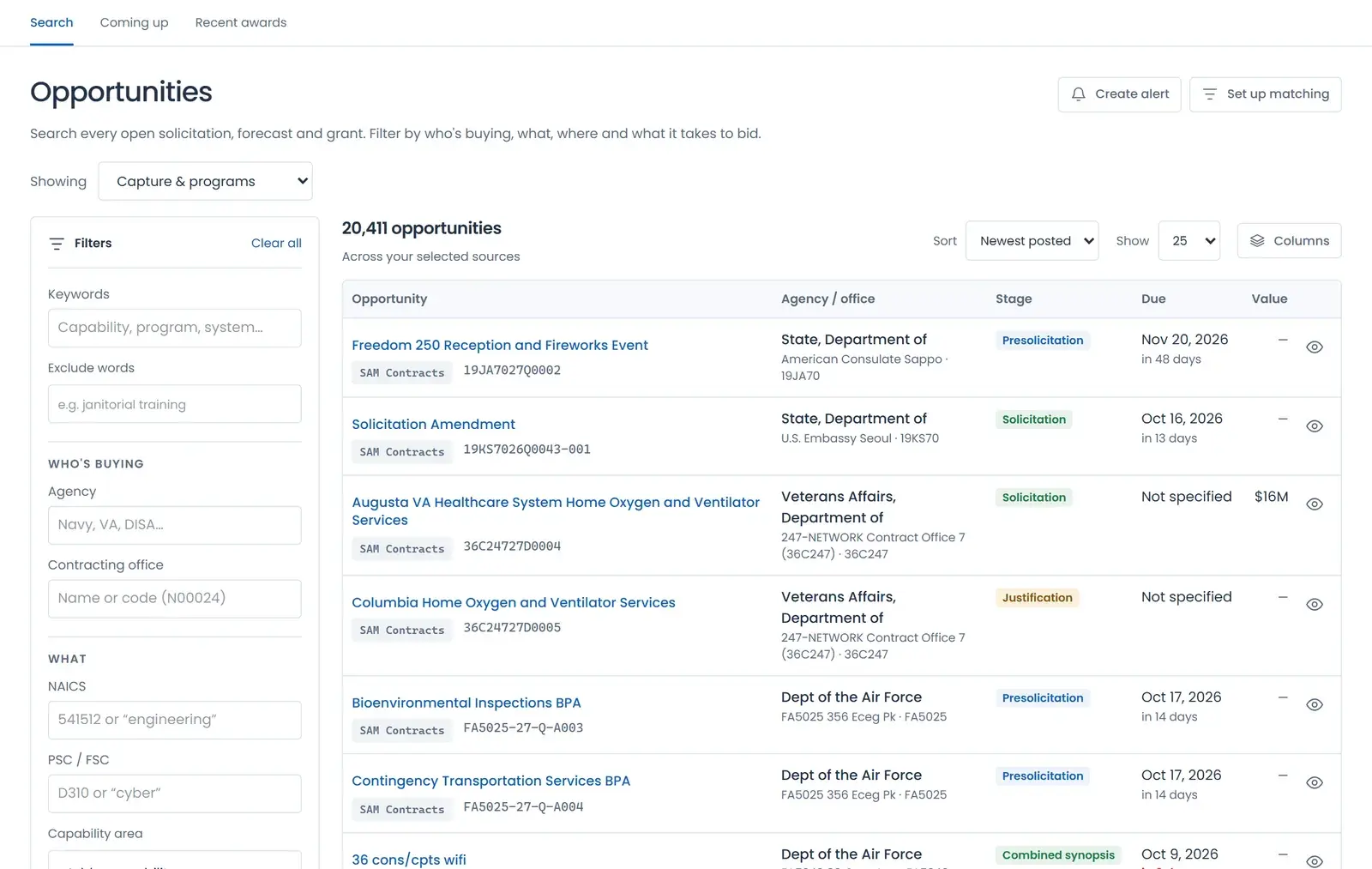
FederalPipeline pulls together opportunities, budgets, buyers and awards for federal contractors. Its site says it scores each open opportunity for your company, flags bid blockers up front and sends email alerts when new matches appear.
It says it is built on public sources such as SAM.gov, FPDS, USAspending and Congress.gov and is updated daily. You can start with a free account without a card, and browse without one.
It is aimed at capture teams and suppliers, so it is a narrow fit outside federal contracting. Paid plan details are not covered here.
Sampan Club
Best for businesses wanting an AI to answer customers
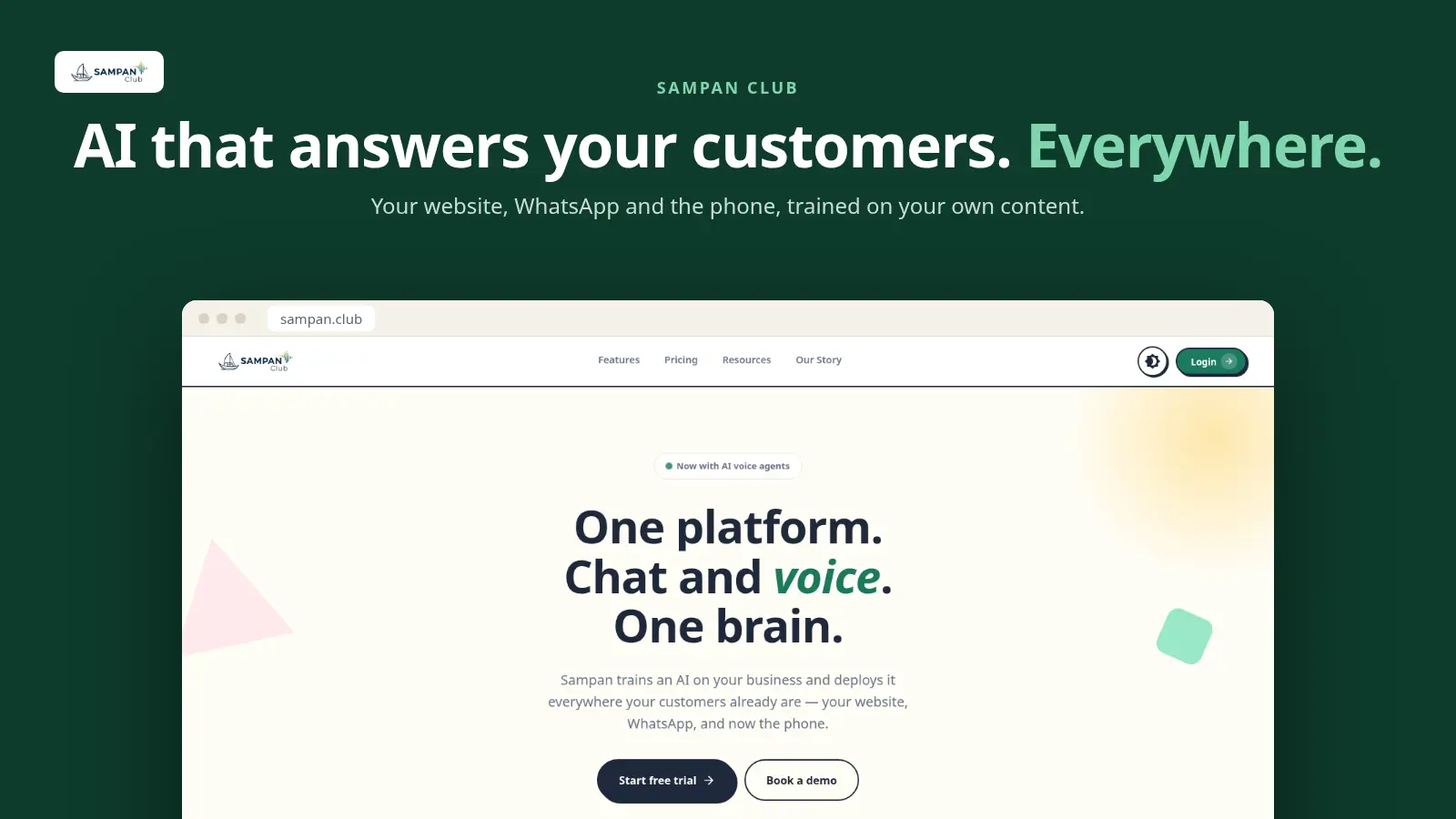
Sampan Club trains an AI on a business's own website, documents and FAQs, then deploys it as a chat bar on the site and a voice agent on a phone line. Its site says it answers in 30+ languages and hands off to a human when needed.
The voice agent is described as answering calls, booking appointments and qualifying leads. The site also mentions a white-label option for reselling under your own brand.
The site links to a pricing page, but no figures are quoted here. Ask what handoff looks like and how much of your own content you need to supply.
Ergonomic Chair & Desk Fit Calculator
Best for home-office workers sizing a chair and desk
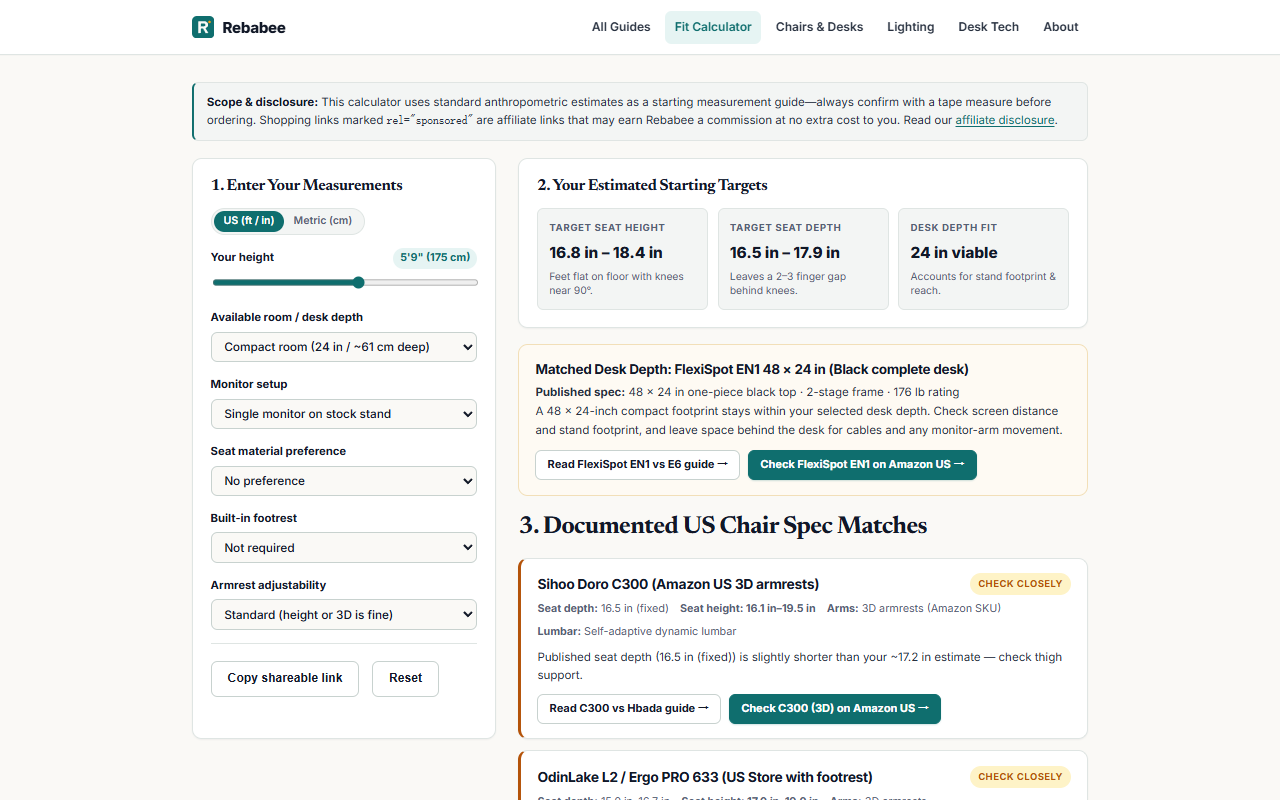
This is a free, browser-based calculator. You enter your height, available desk depth (24 or 30 inches), monitor setup and chair preferences. It then estimates starting seat-height and seat-depth ranges and compares documented US chair dimensions.
It works in inches or centimetres with no registration. Its site tells you to confirm the estimates with your own measurements before buying, and it discloses that its shopping links are affiliate links.
It is a planning aid for one narrow decision, not a general workflow tool.
Read the Ergonomic Chair & Desk Fit Calculator profile →Visit site ↗
AffyList
Best for marketers choosing software affiliate programs to promote
AffyList is a directory of affiliate and partner programs, mostly software and SaaS. Its site says you can compare 700+ programs by commission rate, cookie length and payout terms, and filter recurring, one-time and lifetime programs.
Filters also cover categories, ways to promote (blogs, YouTube, newsletters and more) and tags. That makes it useful for narrowing a long list quickly.
It is a research directory, not a tool for running a program. Pricing for its sponsor and submission options is not covered here.
How to choose
- Write down the one job you want done. If no listed tool names that job, keep looking.
- Check how it is priced: free tier, flat fee, per user or unpublished. Ask for what is missing.
- Try a demo, free tier or no-signup version first if one exists.
- For anything that acts for you, confirm how changes are approved and undone.
- Note what the tool says it does not do, and make sure that is not your main need.
- Match company size: some tools here are aimed at very small shops or specific industries.
Browse every listing in Productivity, or see the ranked best Productivity list.
How we put this together
Every tool here is listed on approved.tools and was checked by hand before it went live. What we say about each one comes from its own website; we have not run our own tests, so where a site makes a claim, we say it is the site's claim. Rankings follow how often readers click through to each tool, and placement cannot be bought.
Frequently asked questions
What matters most when choosing a productivity tool?
Fit to one specific job, a clear pricing model, and low setup effort. A tool that solves your real problem on a free tier beats a broader one you never fully adopt.
Are there free options among the listed tools?
Yes. The Ergonomic Chair & Desk Fit Calculator is free with no registration, CopyThatHQ says it is free for 2 techs with no card, and FederalPipeline says you can start with a free account.
Should I pick per-user or flat pricing?
If many people need occasional access, flat pricing is usually easier to predict. CopyThatHQ says it never charges per user, but check any tool's current terms before you commit.
How do I stay in control of a tool that acts for me?
Look for an approval step and a way to undo changes. Royally's site says changes wait for approval and each one gets a receipt that can be undone for Royal MCP changes.
Can I trust a calculator's estimates?
Treat them as a starting point. The Ergonomic Chair & Desk Fit Calculator says to confirm with a tape measure, and the Health World Web Supplement Cost Calculator says it compares cost only.
What should I do when a site does not publish pricing?
Ask the vendor for plan limits, per-user charges and renewal terms in writing before you commit. Do not assume a price based on similar tools.