
Yaplet

The AI agent for your marketing and customers

ShareXLinkedIn
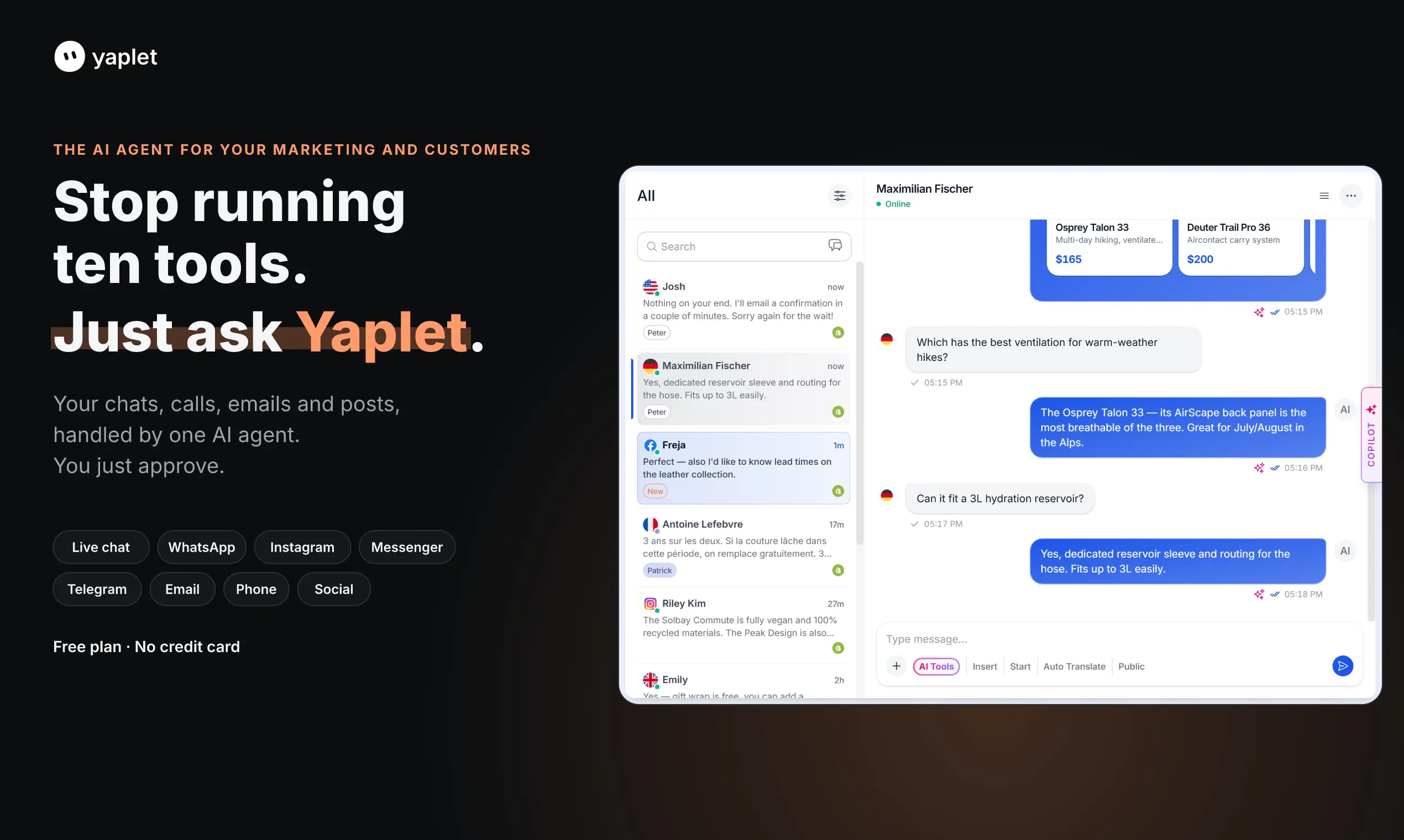
Screenshot of Yaplet's homepage

Our take

Is Yaplet worth using?

Approved Tools editorial team · from Yaplet's public website · Nov 26, 2026

Yaplet combines support and marketing in one workspace. On the site, the pitch is that a single agent covers live chat, phone, email, social posts and a help center, rather than a separate tool for each. That suits small teams with daily customer chats who also need to send newsletters and posts without a dedicated marketer. You can read more on Yaplet's AI agent website.

The approval model stands out. The site says Yaplet drafts emails and saves them for a person to send, and that in the dashboard it shows each change, delete or message and waits for confirmation. It also says Yaplet never touches billing, team members or API keys. For teams wary of automation sending the wrong thing, that is a sensible design.

Before choosing it, check the details the site leaves open. AI answers are pay as you go beyond the plans, so costs depend on volume. The site's review score claim is the maker's own. The site does not list supported languages or how phone numbers are handled. Also confirm that the channels you need are on your plan, since phone and Instagram start at Starter and email automations at Growth.

Verdict: Small online businesses that want one AI agent handling chats, calls and campaigns under human approval should take a closer look.

Yaplet is an AI agent for small teams and online businesses that want one tool for customer conversations and marketing. It answers live chat and phone calls, runs a shared inbox, and writes emails and social posts. The site says you can ask for work in plain words.

The workflow has three steps. You type a request, such as emailing subscribers who stopped opening your messages. Yaplet finds the audience and writes the message. Then you approve it, and the site says nothing goes out until you say yes.

The site says Yaplet answers only from content you give it, such as help articles, FAQ entries, website pages and documents. It also says you can connect Claude, Cursor, VS Code or Windsurf through MCP, and choose how much access they get.


Features

What Yaplet does

1

AI live chat

Answers visitors around the clock from your own content, such as help articles and website pages. The site says it hands the chat to a person when it needs one.

2

AI phone agent

Picks up incoming calls day and night. The site added phone answering recently and shows it on Starter and above.

3

Email and newsletters

Writes campaigns, picks the audience and saves a draft for your team to approve and send. Email automations are listed on the Growth plan.

4

Social posts

Writes posts and makes images from your content, then waits for your approval. This is listed on the Growth plan.

5

Customer insights

Shows who visits your site, what they do and why. The Growth plan lists session replays and user journeys.

6

Connect your own AI app

Claude, Cursor, VS Code and Windsurf can connect through MCP. You choose read only, read and change, or full access.

How to use

Get started in 5 steps

  1. Sign up for the free plan; no card is needed.
  2. Add the chat to your site with one snippet or the WordPress plugin.
  3. Point Yaplet at your help articles or website pages.
  4. Type a request in plain words, such as emailing quiet subscribers.
  5. Review the draft and approve it before it goes out.

Use cases

Who it's for

  • Online store support

    A shop owner can let Yaplet answer questions about shipping and returns from the store's own content. It can also draft campaigns for sales.

  • Catching missed calls

    A small business with no front desk can have Yaplet answer calls day and night, for example to answer opening hours questions.

  • Re-engaging quiet subscribers

    A marketer can ask for an email to subscribers who stopped opening messages, then review and approve the draft.

  • Replacing a chat tool

    A team using another chat tool can run Yaplet's free plan alongside it, test with real visitors, and switch when ready.

FAQ

Questions people ask

What is Yaplet?

Yaplet is an AI agent that answers live chat and phone calls, runs an inbox and writes emails and social posts for your approval. It also includes a help center in one workspace.

Is Yaplet free?

Yes, there is a free plan with no card and no time limit. New workspaces can try paid tools free for 14 days. Starter is listed at $23 per month billed yearly and Growth at $119 per month.

Who is Yaplet for?

The site presents it for small teams with daily customer chats, and for businesses that also want an agent to handle marketing. It lists Shopify, WordPress, WooCommerce, Webflow and Squarespace.

What are the best alternatives to Yaplet?

From the directory, Sampan Club offers AI chatbots and voice agents that answer customers 24/7. The other listed products do not cover the same job. The site itself has comparison pages against Intercom, Zendesk, Tidio, Crisp and LiveChat.

Will Yaplet send emails on its own?

The site says no. It saves emails as drafts and a person presses send. Newsletter Autopilot sends on its own only if someone turns its approval step off.

Written from yaplet.com's public site · updated Nov 26, 2026

Similar tools

Tools like Yaplet

All Yaplet alternatives →