
SpritePacker

Pack and convert sprite sheets privately in your browser

ShareXLinkedIn
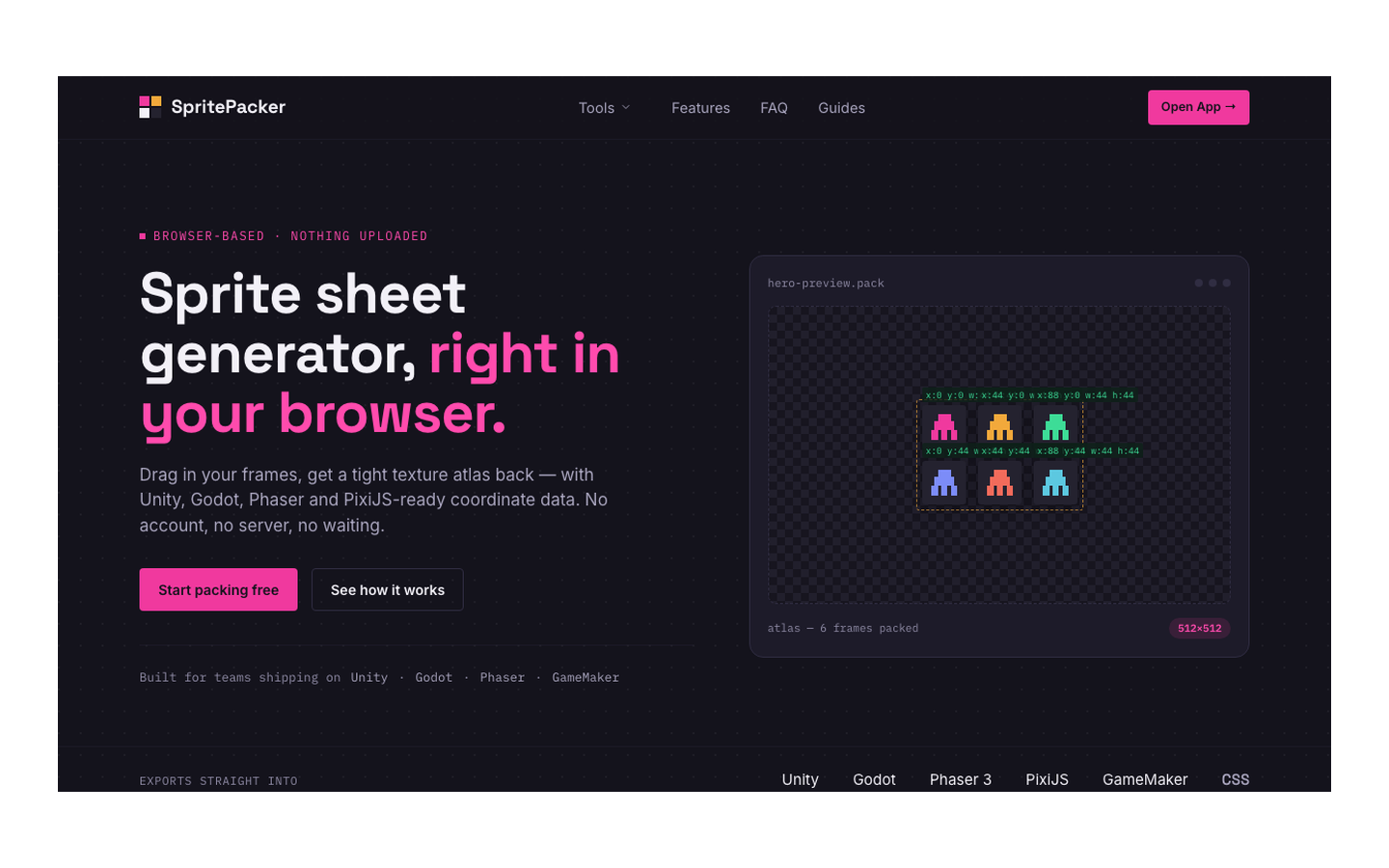
Screenshot of SpritePacker's homepage

Our take

Is SpritePacker worth using?

Approved Tools editorial team · from SpritePacker's public website · Nov 26, 2026

SpritePacker suits indie developers and small teams who already have their animation frames and want a tight atlas without installing software or creating an account. The site presents it as a single-purpose packer, and it says plainly that it does not draw or generate art. SpritePacker's browser-based sprite sheet packer runs the whole job in a tab.

What stands out is the breadth of export formats and the checks around them. Output options include Phaser and PixiJS JSON, Generic and Sparrow XML, CSS or SCSS classes, a metadata JSON and an animated GIF. The site also describes a diagnostics pass that flags duplicate frames, drift and weak loop transitions with a 0-100 score. These are the maker's descriptions.

In a typical workflow you export frames from your animation tool, pack them here and drop the PNG and data file into your engine. Before choosing it, check the stated limits: up to 500 frames, 16 megapixels per image and 64 megapixels per pack. Also note that Unity, Godot and GameMaker presets export an evenly divided PNG, because those engines slice the sheet themselves.

Verdict: Developers shipping 2D animations to Phaser, PixiJS, Unity, Godot or GameMaker who want a free, private packer should take a closer look.

SpritePacker is a free, browser-based tool for game developers who need to combine individual animation frames into one sprite sheet or texture atlas. The site names Unity, Godot, Phaser, PixiJS and GameMaker as target engines.

You drop in PNG, JPG or WebP frames, choose a layout (Compact with MaxRects, Grid, Horizontal or Vertical), and adjust padding, edge extrusion, transparent-border trimming and power-of-two sizing. You can preview the animation with per-frame timing before you export a PNG plus the coordinate data your engine expects.

The site says everything is decoded, packed and exported locally in your tab, with no upload and no account. It also bundles a frame extractor and GIF converters for the rest of the pipeline.


Features

What SpritePacker does

1

MaxRects and grid layouts

Choose Compact (MaxRects), Grid, Horizontal or Vertical packing. The site says compact packing gives smaller atlases and fewer draw calls.

2

Trim, extrude and padding

Trimming crops transparent borders while recording offsets so animations stay aligned. Extrude duplicates edge pixels to prevent color bleeding, and padding adds gaps between sprites.

3

Animation diagnostics and preview

A quality pass flags duplicate frames, subject drift, edge bleed, palette shifts and loop jumps. A playback studio lets you set per-frame hold times and preview the timing you export.

4

Multiple export formats

Export a PNG with Phaser or PixiJS JSON, Generic or Sparrow XML, CSS or SCSS, metadata JSON or an animated GIF. You can download any subset as a ZIP.

5

Local, private processing

The site says decoding, packing and export run in your browser tab, and images never leave your device. No account is needed.

6

Converters and extractor

A frame extractor slices a packed sheet back into frames. GIF to sprite sheet and sprite sheet to GIF converters are also included.

How to use

Get started in 5 steps

  1. Drop in your PNG, JPG or WebP frames, or paste them from the clipboard.
  2. Pick a layout and set padding, extrude, trim and power-of-two options.
  3. Preview the animation and check the diagnostics warnings.
  4. Choose an engine preset or export formats.
  5. Download the PNG atlas and its data files.

Use cases

Who it's for

  • Packing frames for Phaser

    A web game developer can drop in character frames and export a PNG with Phaser JSON for use in their game.

  • Preparing Unity or Godot sheets

    A developer can use an engine preset to export an evenly divided PNG, since those engines slice the sheet themselves.

  • Converting GIFs to atlases

    You can split an existing GIF into frames, then pack those frames into a compact atlas.

  • Checking loops before shipping

    An animator can use the diagnostics and playback to catch duplicate frames or loop jumps before export.

FAQ

Questions people ask

What is SpritePacker?

SpritePacker is a browser-based tool that packs animation frames into one sprite sheet and exports engine-ready data. It also includes a frame extractor and GIF converters.

Is SpritePacker free?

Yes. The site says the packer is free with no sign-up or watermarks. It currently allows up to 500 frames, 16 megapixels per image and 64 megapixels per pack.

Who is SpritePacker for?

The site targets developers shipping on Unity, Godot, Phaser and GameMaker, and it also lists PixiJS support. It suits anyone who already has frames and needs a single atlas.

What are the best alternatives to SpritePacker?

The directory does not list close sprite sheet alternatives. The listed Developer Tools products, such as Excerpt (multi-select text from ChatGPT, Claude and webpages) and BidRank (a public leaderboard for SaaS projects), serve different jobs.

Are my images uploaded anywhere?

The site says no. Decoding, trimming, packing and export happen locally in your browser, and files stay on your device.

Which image formats does it accept?

PNG, JPG and WebP frames work, and you can mix them in one pack. Animated GIFs must first go through the GIF to Sprite Sheet converter.

Written from spritepacker.app's public site · updated Nov 26, 2026

Similar tools

Tools like SpritePacker

All SpritePacker alternatives →