SpriteCanvas

AI sprite sheet generator for 2D game characters

ShareXLinkedIn
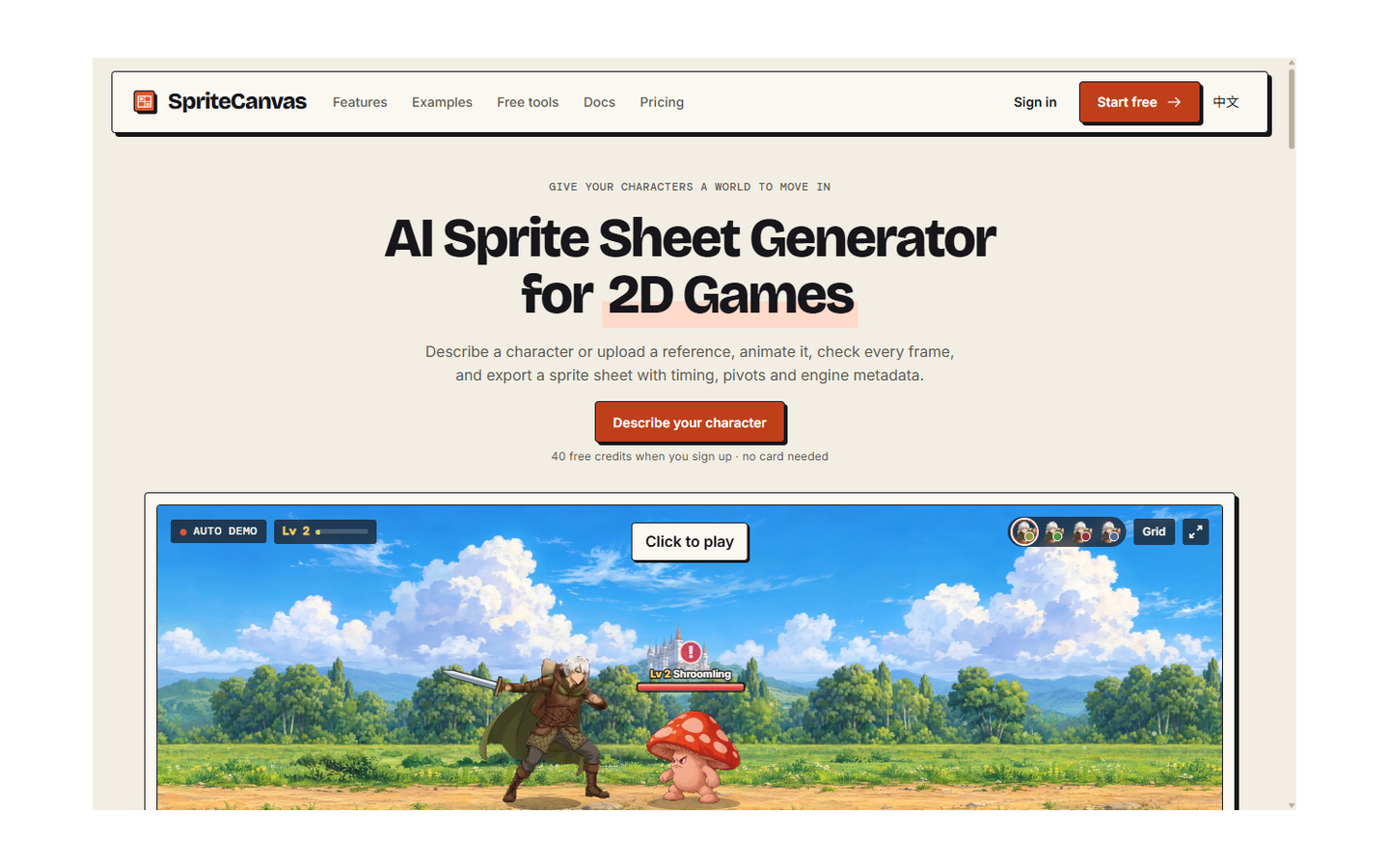
Screenshot of SpriteCanvas's homepage

Our take

Is SpriteCanvas worth using?

Approved Tools editorial team · from SpriteCanvas' public website · Nov 26, 2026

SpriteCanvas suits solo developers and small teams building 2D games who want animated characters with engine-ready output. The site frames the product around the full pipeline: design, animate, process and deliver. That is a more specific pitch than a general image generator. You can see the workflow at SpriteCanvas's AI sprite sheet generator, including a playable demo on the page.

What stands out is the attention to production details. Frames share one cell, a foot baseline and a pivot, and the site says each frame is checked for foot contact and loop continuity. Exports include metadata for Phaser, PixiJS, Unity and Godot. The site marks engine playback as verified only where tested, which is a careful way to state compatibility.

Before choosing it, check a few things. Top-down and isometric direction sets are described as an early feature. Animation quality for your own art style is something you would judge from the free credits, which cover a character design and one Standard animation. Also check what the paid credit packs and plans cost against how many animations your project needs.

Verdict: Indie 2D developers who want animated sprite sheets from a description or reference should take a closer look.

SpriteCanvas is an AI tool for 2D game makers who need animated characters without drawing every frame by hand. You describe a character in text or upload a PNG, JPEG or WebP reference, and the tool generates candidate designs and animations such as idle, walk, run and attack.

You pin the character look you like, and each action is generated from that one reference. Each animation is cleaned to a transparent background, aligned on a shared foot baseline and checked for bounds, foot contact and loop continuity. The result is exported as a PNG atlas with JSON metadata that keeps cell size, pivot and per-frame timing.

The site says the focus is the whole sprite sheet job, not a single picture. It also offers effects, outfit variants, item sets, multi-direction sets and a group of free browser tools for sprite sheets you already have.


Features

What SpriteCanvas does

1

Text or image to character

Describe a character or upload a PNG, JPEG or WebP reference, compare candidates and pin one look. Every later action is generated from that pinned reference so the character stays consistent.

2

Animation from plain-language actions

You write an action such as a dodge roll or a three-hit combo. At High quality, the site says you can also write a storyboard of 2 to 6 beats, use one of 12 ready-made moves, or supply your own MP4 clip.

3

Cleaned, aligned frames

Backgrounds are removed with soft edges and frames are aligned to one cell with feet on a shared baseline. Each frame is checked for bounds, foot contact and loop continuity.

4

Engine-ready export

Exports include a PNG atlas with JSON metadata, single frames, GIF, MP4 and ZIP. Metadata covers Phaser, PixiJS, Unity and Godot.

5

Effects, outfits and item sets

You can add up to four effects per character, each as six transparent frames. You can also make outfit variants that change only what you describe, and draw up to eight items as a matching set.

6

Free browser sprite tools

Separate tools make, slice and convert sprite sheets, turn GIFs or video into sheets, and upscale pixel art. The site says files stay on your device and need no account or credits.

How to use

Get started in 5 steps

  1. Describe your character or upload a reference image.
  2. Compare the candidates and pin the version you want.
  3. Choose an action and direction, then generate an animation candidate.
  4. Pick the frame range, remove the background and align the frames.
  5. Export the PNG atlas with metadata for your engine.

Use cases

Who it's for

  • Prototyping a platformer

    A solo developer can describe a hero and generate idle, run, jump and attack animations. The exports carry timing and pivots for engines like Phaser or Godot.

  • Extending existing character art

    An artist with a finished character image can upload it as a reference and generate animations that stay close to the design.

  • Building enemy and effect sets

    A small team can make monsters, hit sparks and fireballs in the same style as the main character, with items drawn as a matching set.

  • Fixing existing animation assets

    A developer with a GIF or video clip can use the free tools to convert it into a sprite sheet with a JSON atlas.

FAQ

Questions people ask

What is SpriteCanvas?

SpriteCanvas is an AI sprite sheet generator for 2D games. It turns a text description or reference image into a character, then generates animations and exports them as sprite sheets.

Is SpriteCanvas free?

New accounts get up to 30 welcome credits with no card needed. 14 are ready for 7 days and 16 unlock with any purchase. Credit packs start at $5 one-time and plans start at $12 per month.

Who is SpriteCanvas for?

It is aimed at people making 2D games who need animated characters, effects and items in an engine-ready format. The site does not name a specific audience beyond that.

What are the best alternatives to SpriteCanvas?

The directory lists no close sprite-focused alternatives. Related AI media tools include Muse Image for creating and editing images, aio.ink for generating, editing and upscaling images, and Pixelrope for AI image and video generation.

Can I use the sprites in a commercial game?

The site says yes. You may use what you generate for any lawful purpose, including commercial games, subject to its terms, acceptable use policy and the rights of others.

Written from spritecanvas.com's public site · updated Nov 26, 2026

Similar tools

Tools like SpriteCanvas

All SpriteCanvas alternatives →