Christmas Dance AI

Turn one photo into a realistic elf dance video

ShareXLinkedIn
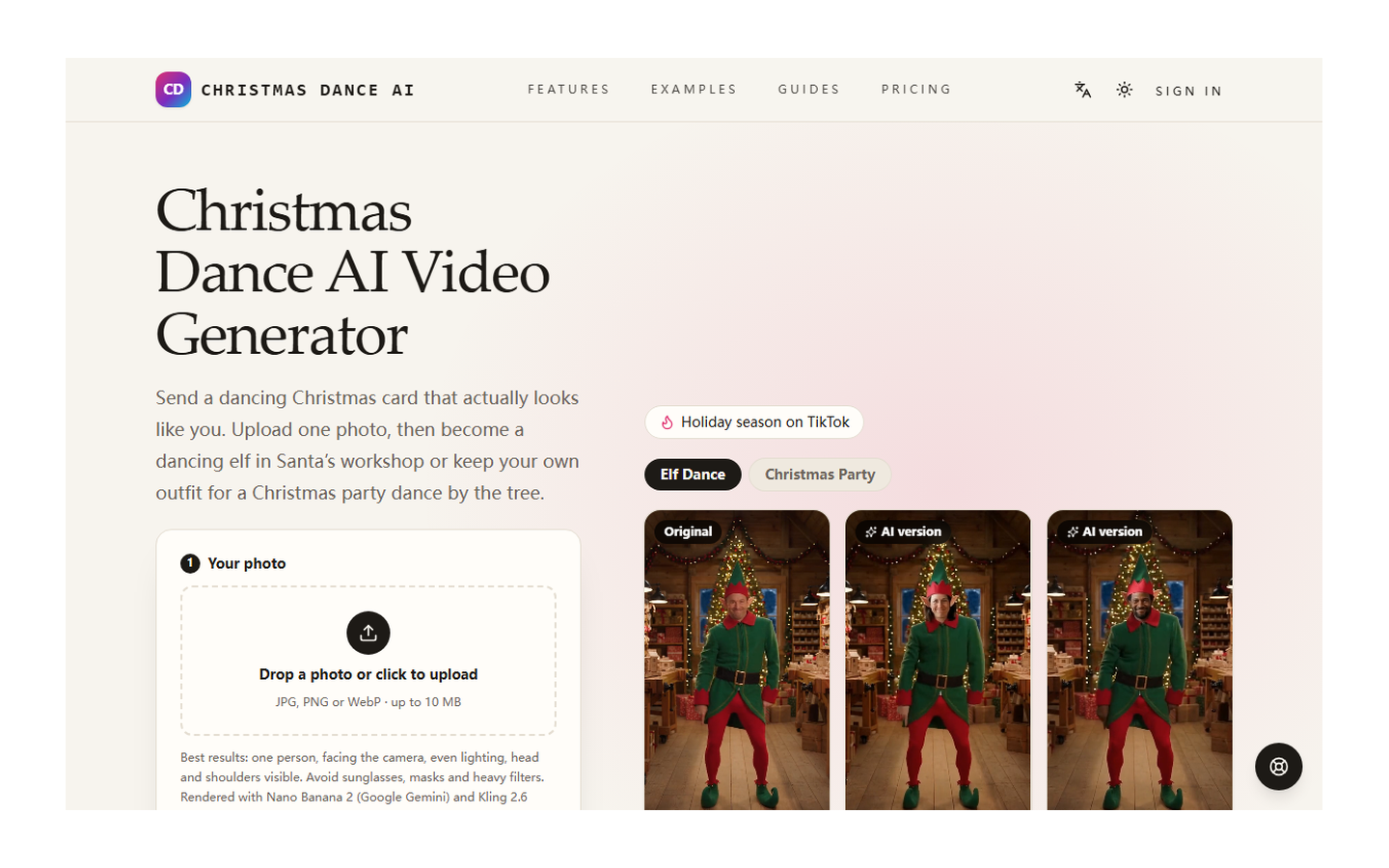
Screenshot of Christmas Dance AI's homepage

Our take

Is Christmas Dance AI worth using?

Approved Tools editorial team · from Christmas Dance AI's public website · Nov 26, 2026

Christmas Dance AI is a narrow, seasonal tool, and its website is clear about that. It does one job: it takes a photo and returns a short dance clip in a holiday setting. The site lists nine routines, from an elf in Santa's workshop to a gingerbread man, plus two duo dances based on a TikTok trend.

The specs section is unusually detailed. On the Christmas Dance AI site, you can see accepted file types, a 10 MB upload limit, output resolution, render times and the AI models behind the videos. It also states the limits plainly: adults only, no group photos, no children, and no celebrities. Duo videos render at lower resolution than solo ones.

Billing is credit based. One credit buys one second of a solo video, a duo costs 18 credits, and packs do not expire. Subscriptions are optional. The site says there are no free credits, so you pay before you see a result. Check the photo rules, the 7-day deletion policy and the pet disclaimer that pet results vary more than people results.

Verdict: Worth a closer look if you want a quick, shareable holiday clip and are fine paying per second of video.

Christmas Dance AI is an online tool that turns one or two photos into a short, vertical Christmas dance video. It is aimed at people who want a holiday clip for TikTok, Reels or a greeting without learning a routine or filming one.

You upload a clear photo of an adult, a dog or a cat, pick a style such as Elf Dance or Christmas Party, and choose a length of 6, 12 or 18 seconds. The site lists nine styles in total, including two duo styles that recreate the Deck the Halls dance from TikTok using two photos.

The output is a 9:16 MP4 with no watermark. Solo clips come at 720p with an original instrumental track, and duo clips render at 480p with the trending sound. The site says rendering usually takes a few minutes and failed renders are refunded automatically.


Features

What Christmas Dance AI does

1

Nine dance styles

Seven solo styles include Elf Dance, Santa Dance, Christmas Party, Ugly Sweater, Reindeer, Snowman and Gingerbread Man. Two duo styles, Couple Duo and Kitchen Duo, use two photos.

2

People and pets

Solo styles accept one adult, or one dog or cat. Duo styles take two adults, one photo each.

3

Vertical MP4 output

Clips export as 9:16 MP4 files with no watermark, sized for Reels, Shorts or TikTok. Solo clips are 720p and duo clips are 480p.

4

Music included

Solo clips come with an original instrumental Christmas track. Duo clips use the trending Deck the Halls sound, and the site says you can swap either in TikTok, Instagram or CapCut.

5

Credits and refunds

Solo videos cost one credit per second and duos cost 18 credits. Credits are refunded automatically if a render fails.

6

Private uploads

The site says uploads are stored privately, used only for your render and deleted automatically 7 days after upload.

How to use

Get started in 5 steps

  1. Upload one clear, front-facing photo, or two for a duo.
  2. Choose a dance style.
  3. Pick a length of 6, 12 or 18 seconds for solo styles.
  4. Generate the video and wait a few minutes for the render.
  5. Download the MP4 and post it.

Use cases

Who it's for

  • Family group chat clips

    You can make a dancing elf clip for each family member, with their permission, and post them together on Christmas morning.

  • Office party icebreaker

    Collect colleague photos and turn a team lead into a dancing elf to play at a party or year-end call.

  • Moving greeting card

    You can send a Christmas Party dance in your own outfit through Messages, WhatsApp or Stories instead of a photo card.

  • Pet holiday video

    Upload a full-body photo of a dog or cat to make it dance by the tree. The site suggests starting with a short clip.

FAQ

Questions people ask

What is Christmas Dance AI?

It is an online tool that turns one or two photos into a short Christmas dance video. It offers nine routines, seven solo and two duo.

Is Christmas Dance AI free?

No. The site says pricing is pay-as-you-go with no free credits. Packs start at $4.99 for one 6-second clip, and optional subscriptions are $14.90 a month or $149.00 a year.

Who is Christmas Dance AI for?

It suits people who want a shareable holiday clip for social media or a greeting without filming a routine. Subjects must be adults, dogs or cats.

What are the best alternatives to Christmas Dance AI?

Similar directory entries include AI Trend Video, for viral AI video trends or your own clip as a template. Others are Bulin47ai, for a viral freestyle from one photo, Froging AI, a photo to video generator, and AI Image to Video, which turns a still photo into a video.

How long does a video take to render?

The site says solo videos usually take 2 to 8 minutes, and duo videos about 8 to 10 minutes.

Written from christmasdanceai.com's public site · updated Nov 26, 2026

Similar tools

Tools like Christmas Dance AI

All Christmas Dance AI alternatives →